What is an inbox placement test?
.svg)
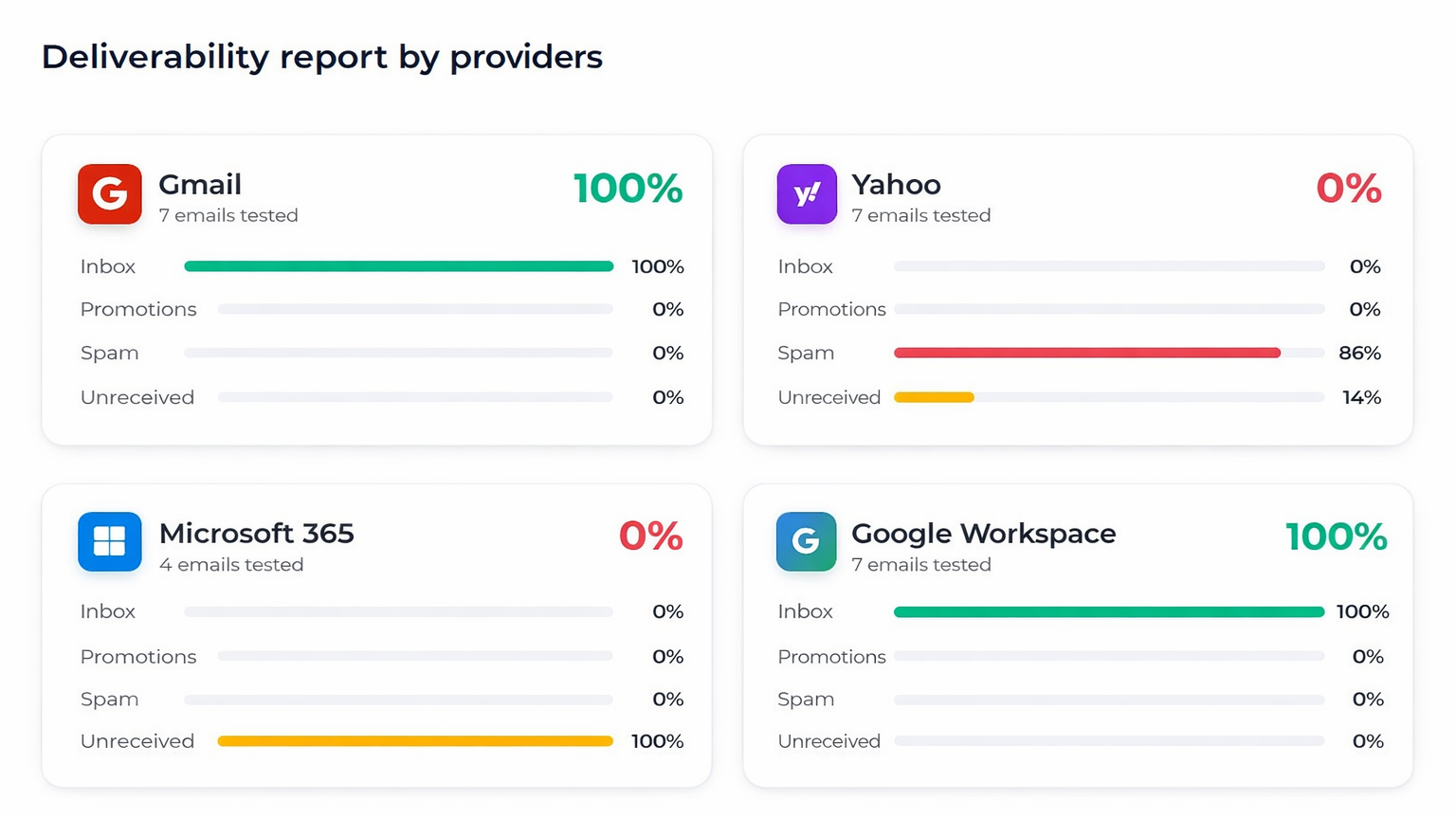
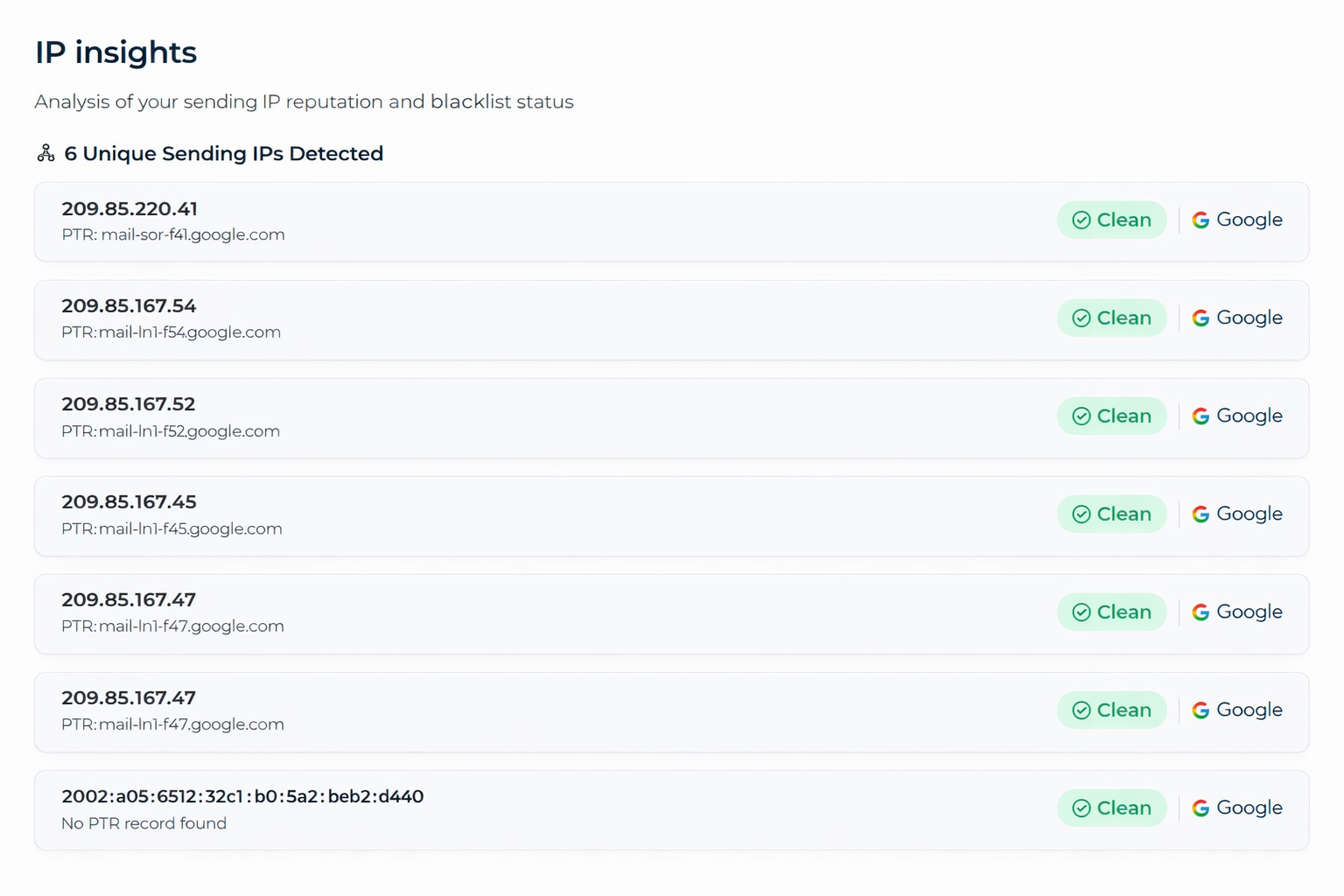
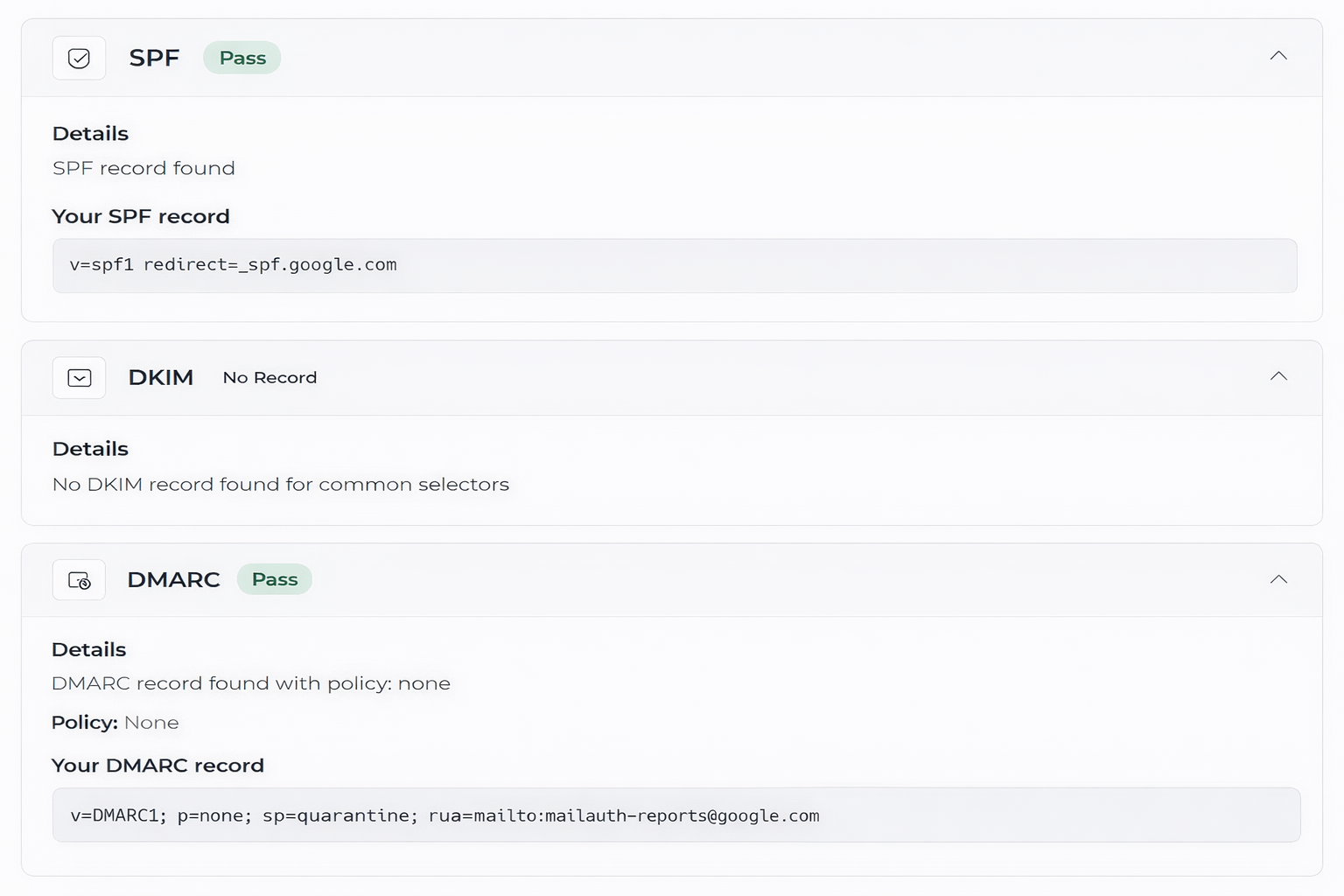
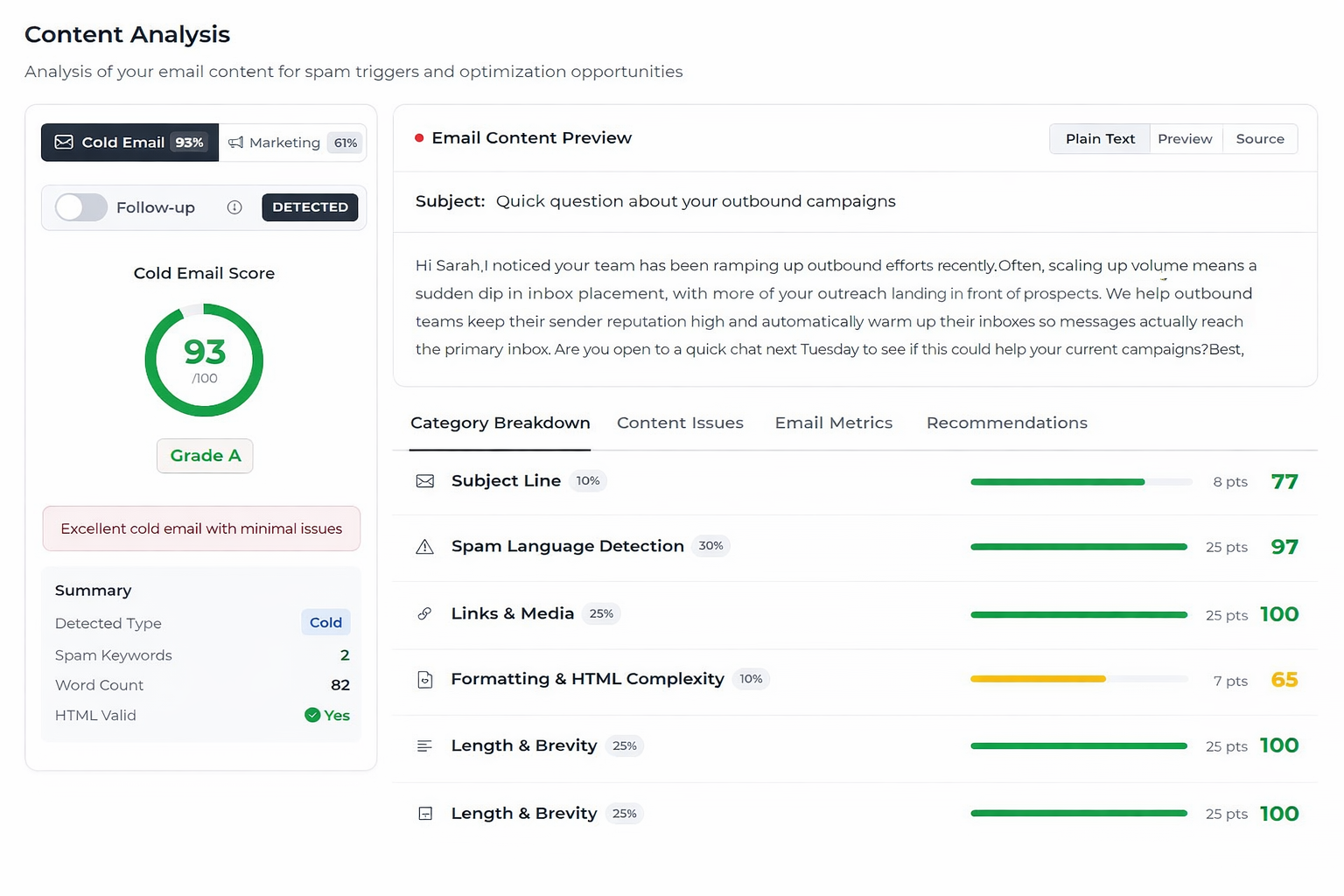
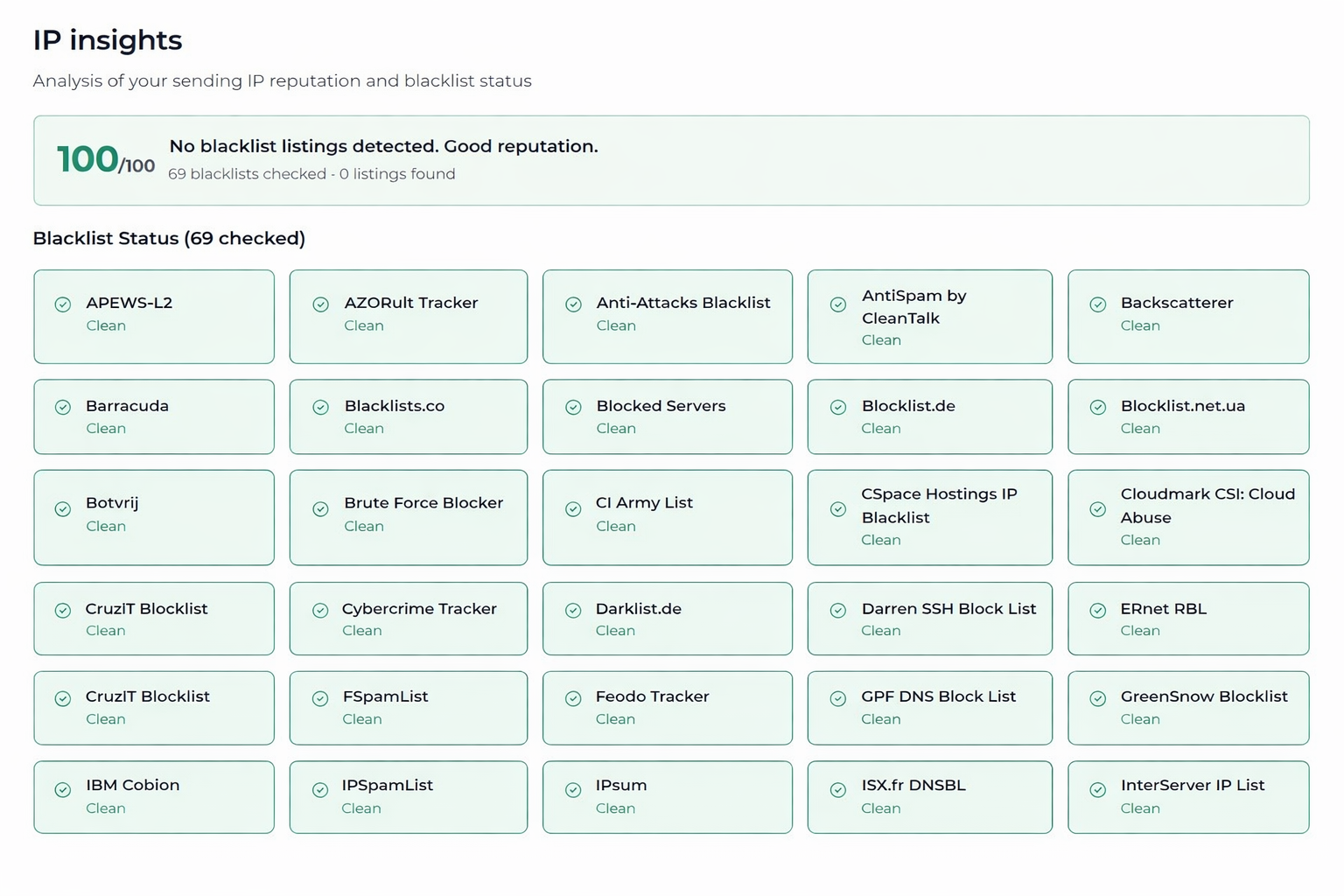
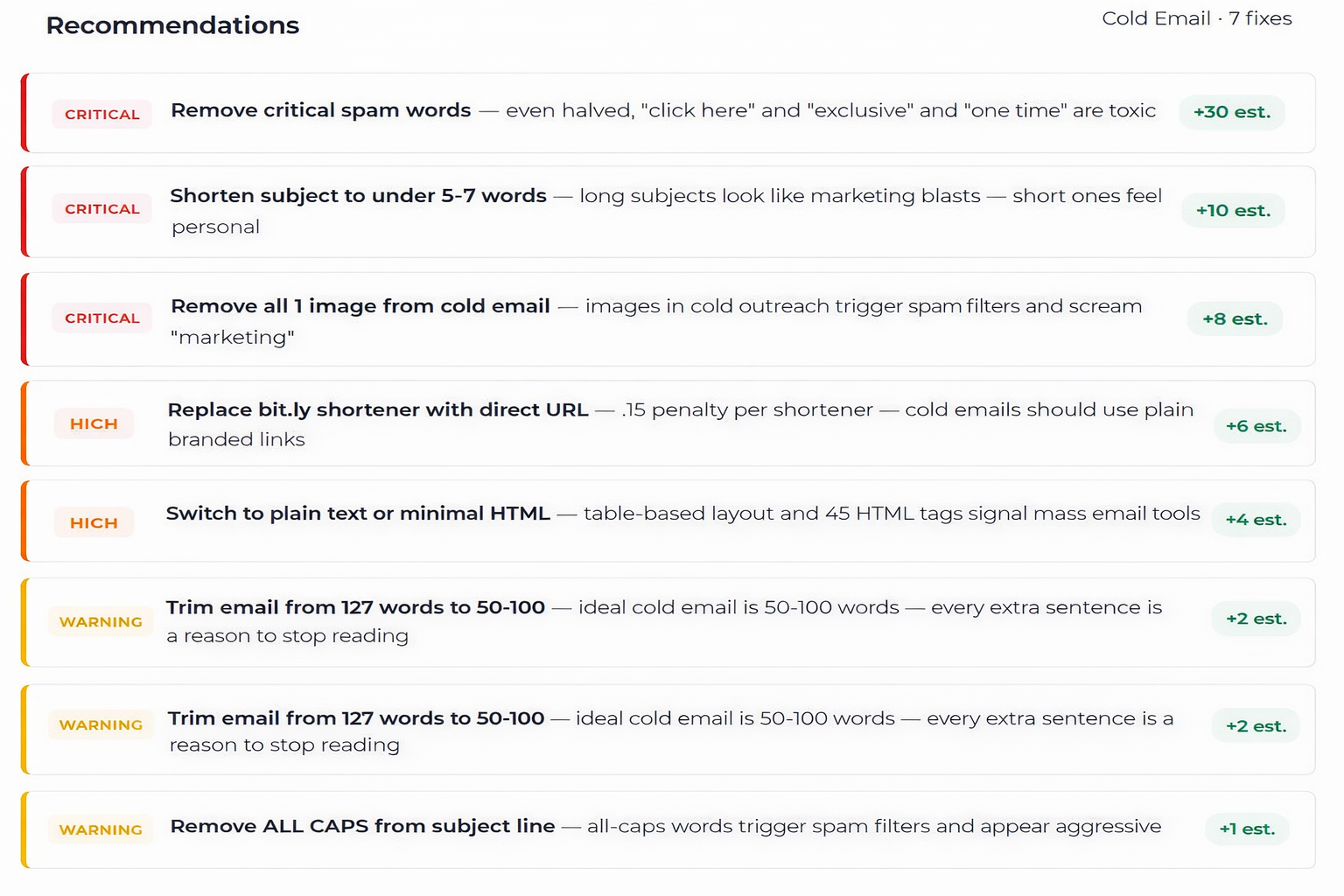
An inbox placement test sends your email to real inboxes across major providers like Gmail, Outlook, and Yahoo to see exactly where it lands: primary inbox, promotions tab, or spam folder. Unlike a basic delivery report that only confirms your email reached the server, a placement test shows you where it actually ended up. Mailivery's test goes further with a full deliverability audit covering your domain reputation, IP history, authentication setup, content analysis, and blacklist status, with specific recommendations on how to fix any issues.
How do I test my email deliverability?
With Mailivery, testing your email deliverability takes three steps. First, connect your sending account or use copy-paste mode if you send from an external platform. Second, send your email to Mailivery's test network, which includes real inboxes across Gmail, Outlook, Yahoo, and other major providers. Third, review your results. Within minutes you'll see exactly where your email landed at each provider, plus a full audit of your domain, IP, authentication, content, and blacklist status with specific steps to fix anything that's hurting your placement.
How is this different from an email spam test or spam checker?
Most email spam tests and spam checkers only analyze your content against filter rules like SpamAssassin and give you a score. They don't actually send your email to real inboxes. Mailivery's inbox placement test sends to real accounts across providers and shows you actual placement results. On top of that, it analyzes your domain, IP, authentication, content, links, and images. It's a complete email deliverability test and audit, not just a content score.
What is a good inbox placement rate?
For cold email campaigns, an inbox placement rate of 90% or higher is considered healthy. Anything between 80-90% means there are issues worth investigating. Below 80% is a red flag that needs immediate attention. Keep in mind that your placement rate can vary by provider. You might land in the inbox at Gmail but hit spam at Outlook. That's why Mailivery breaks results down by individual provider so you can see exactly where the problem is and fix it specifically.
How is Mailivery different from GlockApps or Mail-tester?
GlockApps is a standalone testing tool that starts at $79/mo with no warmup included. Mail-tester provides a basic free one-time spam score with no recurring testing or deliverability audit. Mailivery bundles comprehensive inbox placement testing with email warmup in one platform. You get placement results, a full deliverability audit, content analysis, authentication checks, blacklist detection, and actionable fix recommendations all included in your existing warmup plan. No separate subscription needed.
Are placement tests included in my Mailivery plan?
Yes. Every Mailivery plan includes placement test credits. Starters ($29/mo) includes 10 tests, Professional ($79/mo) includes 50 tests, and Business ($199/mo) includes 250 tests. If you need more, you can add monthly credit packs for the best per-credit rate, or buy one-time packs whenever you need them. Each test includes the full deliverability audit, not a stripped-down version.
Can I test emails sent from tools other than Mailivery?
Yes. Mailivery offers two testing modes. Connected mode tests emails sent from mailboxes connected to Mailivery. Copy-paste mode lets you test emails sent from any external platform, whether that's Instantly, Smartlead, Mailchimp, SendGrid, or any other sending tool. No integration or API connection required. Just paste your email content and send to the test network.
What providers does the test cover?
Mailivery tests placement across Gmail, Google Workspace, Microsoft 365, Outlook, Yahoo, and other major providers. Results are broken down by individual provider so you can see exactly where placement is strong and where it's failing. This matters because the same email can land in the inbox at Gmail but hit spam at Outlook due to different filtering rules.
How often should I run placement tests?
For active senders, weekly tests are recommended to catch deliverability changes early. If you're launching a new domain, ramping volume, or recovering from a reputation issue, daily testing helps you track progress in real time. Mailivery supports recurring scheduled tests so you can set it up once and let it run automatically without any manual work.
What should I do if my emails are landing in spam?
Start by running an inbox placement test to identify the root cause. It could be an authentication issue (SPF, DKIM, DMARC), a domain or IP reputation problem, content that's triggering spam filters, or a blacklist flag. Mailivery's test will tell you exactly what's wrong and give you specific steps to fix it. From there, enable email warmup to rebuild your sender reputation with real engagement signals. Warmup and testing work together: the test identifies the problem, warmup helps fix it, and you re-test to confirm it's resolved.


.svg)
.svg)
.svg)
.svg)
.svg)
.svg)
.svg)
.svg)


.png)
.svg)
.svg)
.svg)
.svg)
.svg)
.svg)
.svg)
.svg)
.svg)
.svg)
.svg)
.svg)
.svg)
